Image URL Markers
This guide shows how to create markers using remote images (URLs) instead of bundled icon names.
Overview
LzAttributeMarker supports loading marker icons from HTTP/HTTPS URLs. This is useful for displaying remote icons, brand logos, or dynamically generated images. There are two ways to provide a URL:
iconfield — pass the URL directly as the icon nameimageUrlfield — dedicated parameter; theiconfield acts as a fallback
Via the icon Field
When the icon value starts with http, the native SDKs treat it as a URL and download the image:
import 'package:lazarillo_maps/lazarillo_maps.dart';

final marker = LzAttributeMarker(
  'https://maps.google.com/mapfiles/kml/shapes/star.png',
  const LatLng(-33.417733, -70.606573),
  title: 'Star',
  text: 'STAR',
  textColor: '#FFFFFF',
  iconColor: '#2196F3',
  borderColor: '#000000',
  textPosition: TextPosition.right,
  imageSize: 40.0,
);

await lazarilloMapWidget.addMarker(marker);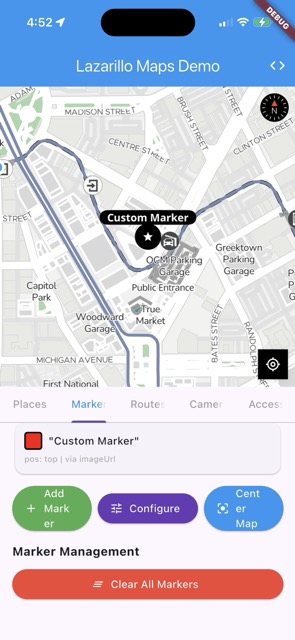
Via the imageUrl Field
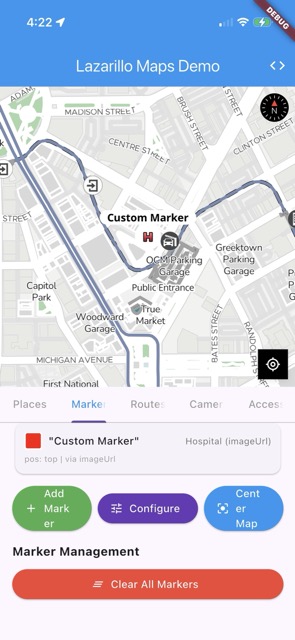
Use imageUrl when you want a fallback icon in case the URL fails to load:
final marker = LzAttributeMarker(
  'pin', // fallback icon if URL fails
  const LatLng(-33.417733, -70.606573),
  title: 'Hospital',
  subtitle: 'Via imageUrl',
  imageUrl: 'https://maps.google.com/mapfiles/kml/shapes/hospitals.png',
  imageSize: 40.0,
  iconColor: '#F44336',
  textPosition: TextPosition.right,
);

await lazarilloMapWidget.addMarker(marker);
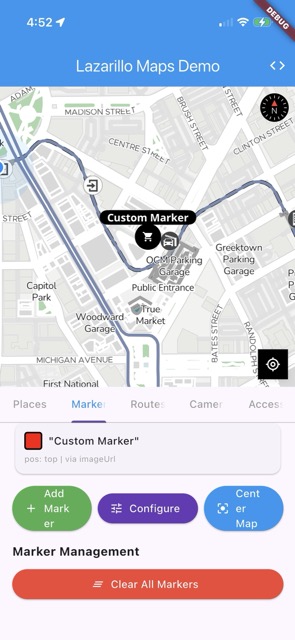
Star (via icon) | Hospital (via imageUrl) | Custom (via imageUrl) |
|---|---|---|
|  |  |
How It Works
- When
imageUrlis provided, it takes priority over theiconfield for the image source. - If the
iconfield itself starts withhttp, it is also treated as a URL. - On iOS, the SDK uses
setImageUrl()on the annotation builder. Image downloading is handled by Kingfisher. - On Android, the URL is passed through the
iconkey inLazarilloMarkerOptions, where the native SDK’sgetIconImageOrDefault()handles downloading via Coil.
Parameters
| Parameter | Type | Description |
|---|---|---|
imageUrl | String? | HTTP/HTTPS URL (or file:// URI) for a remote marker image |
icon | String | Icon name or URL. Used as fallback when imageUrl is set |
imageSize | double? | Icon display size in logical pixels |
Tips
- Ensure image URLs are publicly accessible
- Recommended image size: 40x40px to 80x80px
- Both PNG and JPEG formats are supported. SVG is only supported on Android
- The
iconfield serves as a fallback if the URL fails to load - For Flutter Material Icons as markers, see Marker Customization which covers
IconRenderer
Next Steps
- Marker Customization - All image sources (built-in, Flutter, URL)
- Place Marker with Logo - Using place logos as marker icons
- Attribute Markers - Markers with text and colors
- Marker Management - How to remove and manage markers
Last updated on